How to Display Hidden Products in My Bundle Page (PRO)
Do you have a set of products where you defined the visibility as hidden and would like them to be displayed in your bundle page?
If you’re in this case, find a mechanism allowing you to display hidden products with ease on your bundle page.
To use this feature, make sure to use the PRO version of the plugin, then go to Bundles > Settings section:
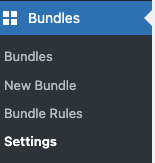
You will see this option in your settings page:

If you define the option to Yes, the hidden products will be displayed in the bundle page you created, otherwise they will remain hidden.